 Monestra
Privacy and data
Notifications
One governed reminder system for the whole app — per module, per event type, with your own lead time. Amounts stay off the lock screen unless you ask.
How it is organised#
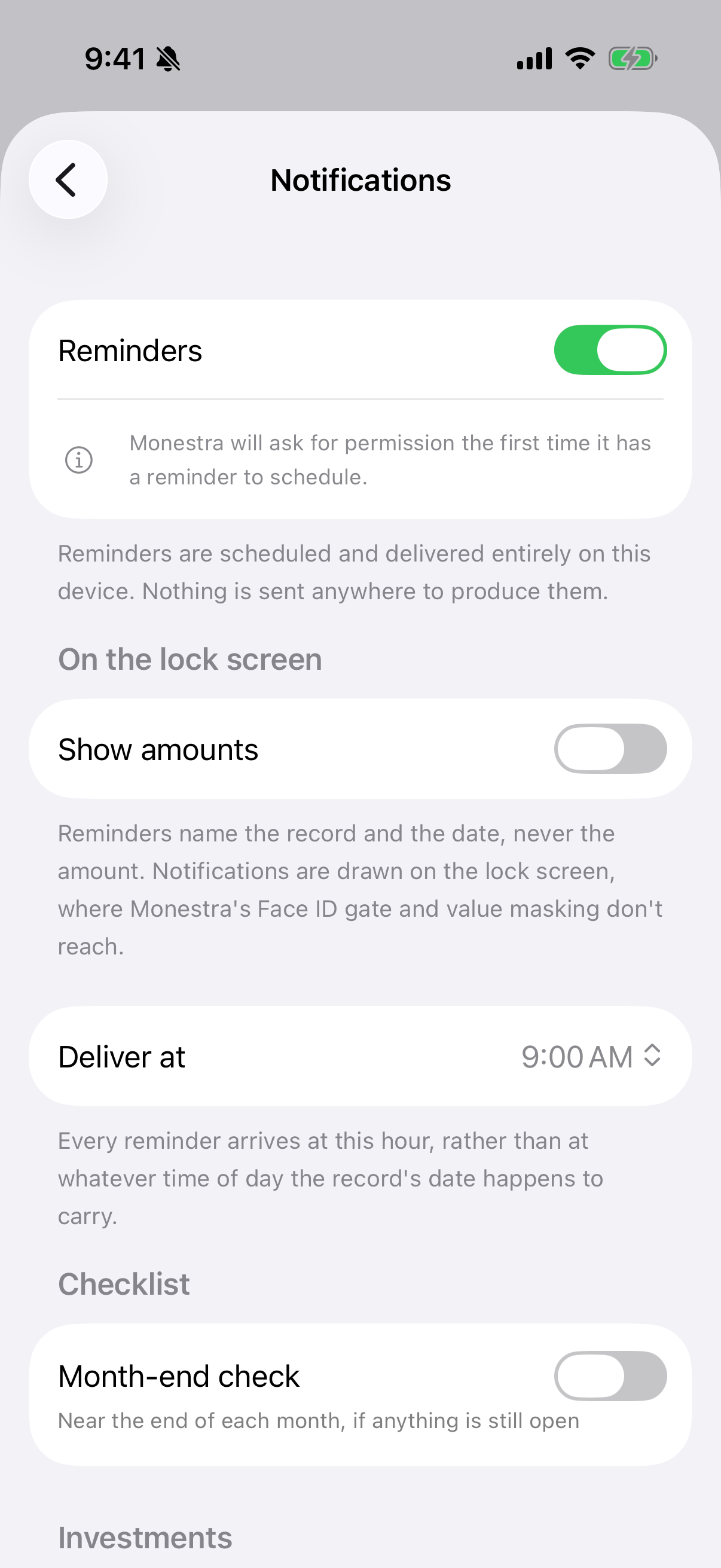
Monestra does not have a single "reminders on/off" switch. Each module declares the kinds of thing it can remind you about — a renewal, a premium, a maturity, a service, a pay day, a vesting date — and each becomes its own switch.
You control:
- Reminders — the master switch.
- Remind me — the lead time, in days ahead.
- Deliver at — the hour reminders arrive.
- Which event types are on, per module.
Scheduled reminders shows how many are queued right now, which is the quickest way to tell "nothing is due" from "nothing is switched on".
Modules you have hidden are silenced automatically.
Amounts and the lock screen#
Permission#
Monestra asks for notification permission at the moment you first switch a reminder on — not at launch, and not during onboarding. If you never enable a reminder, it never asks.
Decline and the switches stay, showing that the system permission is missing.
Reminders repair themselves#
Every module re-schedules its reminders on launch and whenever you close Settings. That means a reminder cannot quietly run dry because a record changed while an old one was still queued.
That pass never writes to your data — it only manages the queue.
Turning everything off#
Switch off the individual event types, or turn Monestra's notifications off in iOS or macOS Settings. Monestra respects the system setting and shows that it is off rather than pretending its own switches are still in charge.